Delgado Plumbing Supply
$1,240
Reminder sent
InvoiceGlance is invoicing software for freelancers and small businesses. Create invoices, see who is late at a glance, and send a friendly payment reminder in one click, without leaving the page.
Nothing is ever sent unless you press the button.
Two people are late
Owed to you $2,140
$1,240
Reminder sent
$900
Reminder sent
Sample data. Press Remind to try it.
Nothing goes out behind your back. Each email is a deliberate click.
They open a link on any phone and see the invoice. That is all.
Customers pay you the way they already do. InvoiceGlance never touches the money.
Made for freelancers, contractors, consultants and other small service businesses who would rather be working.
Pick the customer, add what you did, and send it. They get a clean page they can open on any phone, with your payment instructions on it.
Open the app and it tells you in plain words who is late and who has gone quiet. One tap sends a friendly reminder from InvoiceGlance, with your name on it. Replies come straight to you.
When the money lands, record it and send a thank-you with a link to leave you a review. Months on, a check-in brings back the customers who have gone quiet.
Every email you send is saved, so you always know what a customer received and when. You press every button yourself. Nothing is sent behind your back.
See revenue over time, what is outstanding and what is overdue, how old each unpaid balance is, which customers bring in the most, and how quickly people pay you. The numbers update as you record payments.
More about the dashboard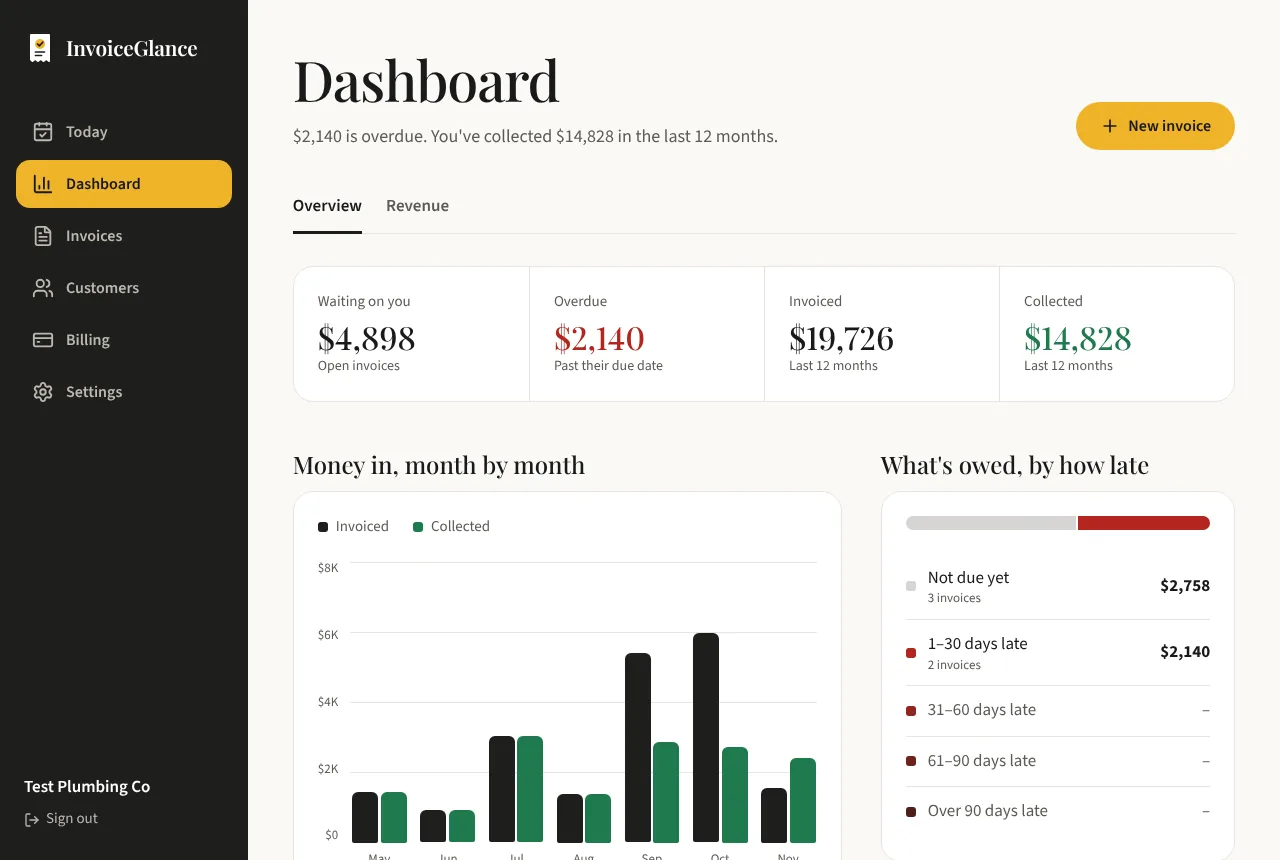
$0
For getting started, with no time limit.
$8 a month
For when you outgrow the monthly limits.
InvoiceGlance is simple invoicing software for freelancers and small businesses. You create invoices, record the payments you receive, and send friendly reminders, all from one place. A dashboard shows revenue over time, what is outstanding and overdue, and who to contact next.
No. InvoiceGlance is a payment tracker only. Your customers pay you the way they already do, such as a bank transfer, Zelle, cheque or cash, and you record it. We never handle your customers' money.
Never. Every invoice, reminder, thank-you and check-in is sent by you pressing a button. Each one is saved, so you can always see what a customer received and when.
Emails are sent from invoices@invoiceglance.com with your business name as the sender. Your customer's reply goes straight to your own email address.
No. They get an email with a link to a clean invoice page that works on any phone or computer. They never create an account or sign in.
Yes, there is a free plan with no time limit. It includes 5 invoices a month, 5 emails a month and up to 5 customers, with every feature turned on. Pro is $8 a month and removes the limits.
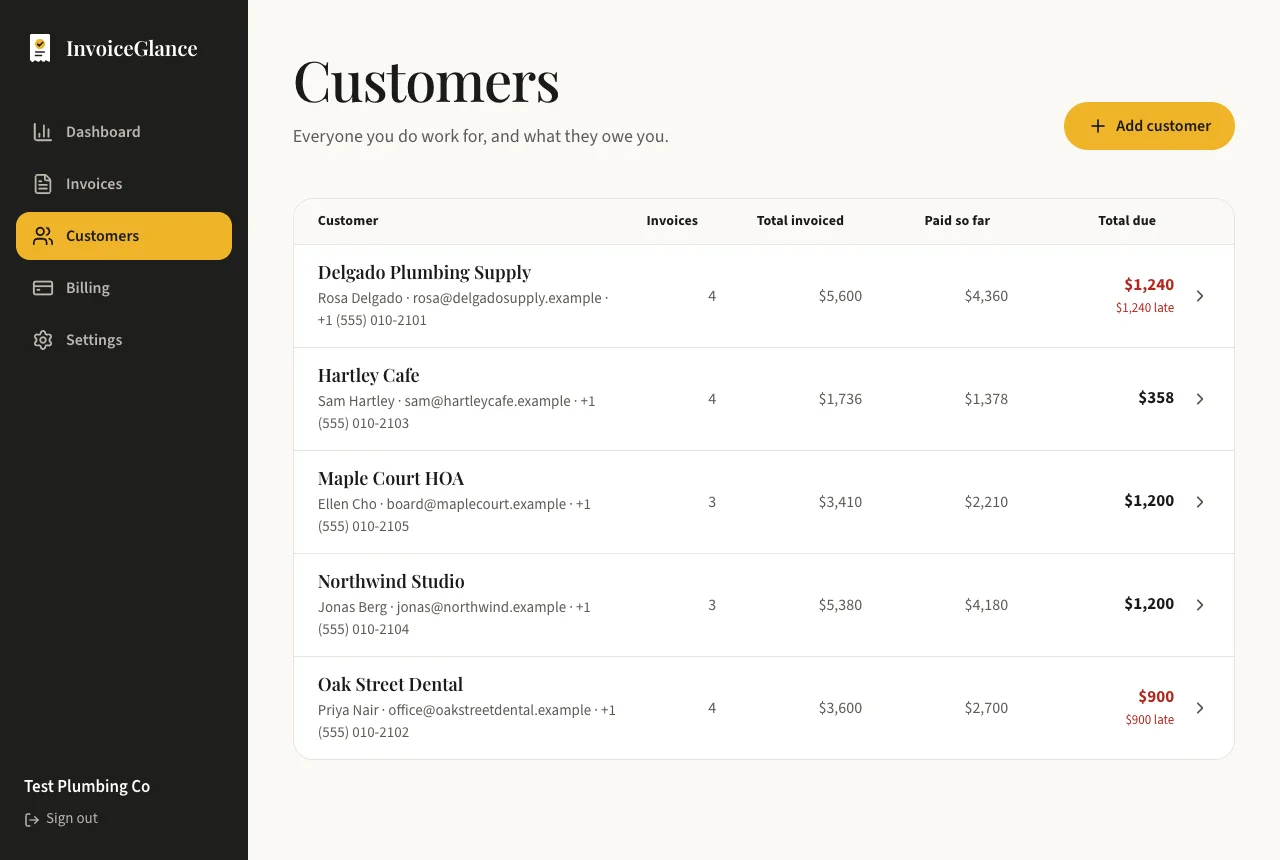
Open the Customers page to see who is late, open that customer, and send the reminder. A message opens with the words already written. Read it, press Send, and it goes out with your business name on it. Replies come straight to your own inbox.
Owners who run their own small business and invoice between jobs: freelancers, tradespeople, clinics, consultants and creatives. The wording and defaults suit any small service business.
Set up your business, add a customer, and send an invoice. You decide every step.
Create your account